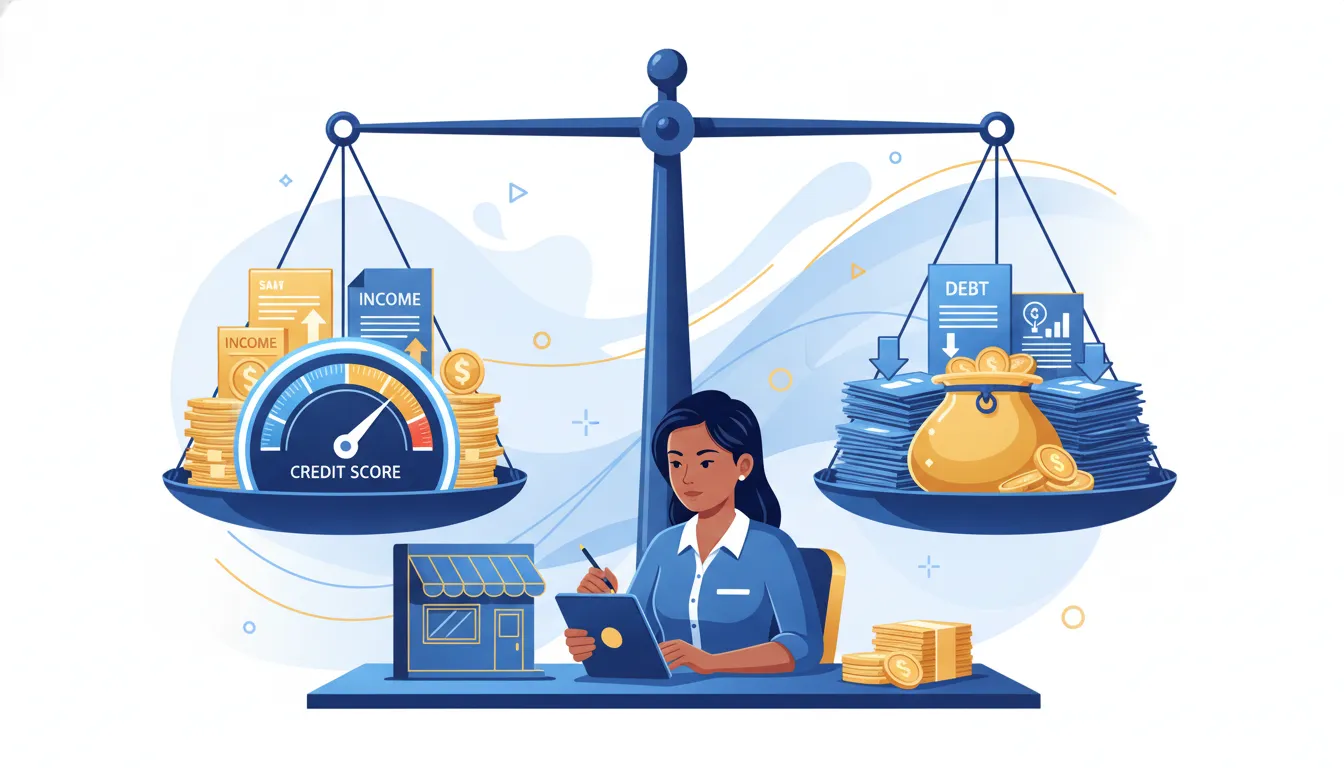

Trying to remove bankruptcy from credit report records can feel confusing because there is a big difference between an accurate bankruptcy and a reporting error. If the bankruptcy is accurate, it usually stays until the legal reporting period ends. If the entry is inaccurate, outdated, duplicated, or tied to accounts reporting incorrectly after discharge, you may have the right to dispute it with the credit bureaus.
Ready to review your reports for disputable errors? Sign up for M1 Credit Solutions to use AI-powered DIY credit repair tools that help you spot issues, create dispute letters, and track your next steps.
This guide explains how long bankruptcies stay on credit reports, when removal is possible, how the dispute process works, and how to rebuild credit after bankruptcy with a practical DIY plan.
Can you remove a bankruptcy from your credit report?
You can remove a bankruptcy from your credit report only when the bankruptcy information is inaccurate, outdated, unverifiable, duplicated, or otherwise reported in violation of credit reporting rules. You generally cannot remove an accurate bankruptcy early just because it hurts your score or makes it harder to qualify for financing.
That distinction matters. Many people search for quick bankruptcy removal after seeing a public record on Experian, Equifax, or TransUnion. The realistic path is not to dispute accurate history. The realistic path is to inspect the bankruptcy entry and all related accounts for errors that can legally be challenged.
Common bankruptcy-related credit report problems include:
- A Chapter 13 bankruptcy reporting longer than the allowed reporting period.
- A Chapter 7 bankruptcy using the wrong filing date or discharge date.
- Accounts included in bankruptcy still showing past due balances.
- Duplicate bankruptcy entries across the same bureau report.
- Old collections or charge-offs reporting as new after discharge.
- Incorrect personal information connecting someone else’s bankruptcy to your file.
If you are not sure where to begin, start by reviewing all three bureau reports. M1’s guide on how to check your credit report for free explains how to access your reports without hurting your score.
How long does bankruptcy stay on a credit report?
Bankruptcy can stay on a credit report for up to 7 or 10 years, depending on the chapter and the reporting policy used by the bureaus. Chapter 7 bankruptcies can generally remain for up to 10 years from the filing date. Completed Chapter 13 bankruptcies are commonly removed after 7 years, although bankruptcies are legally reportable for up to 10 years under the Fair Credit Reporting Act.
| Bankruptcy type | Typical credit report timeline | What to check |
|---|---|---|
| Chapter 7 | Up to 10 years from the filing date | Filing date, discharge status, duplicate public records, and included accounts |
| Chapter 13 | Often 7 years from the filing date when completed | Filing date, dismissal or discharge status, plan completion, and account balances |
| Dismissed bankruptcy | May still be reported, depending on accuracy and bureau records | Whether the report correctly says dismissed and whether dates are accurate |
For legal background, the Fair Credit Reporting Act governs how long certain negative information can appear on consumer reports. Credit bureaus may remove certain bankruptcy records earlier based on internal policies, but consumers should not assume early deletion will happen automatically in every case.
The key date is usually the filing date, not the discharge date. If your credit report is counting from the wrong date, that may be a disputable issue. If the bankruptcy should have aged off but still appears, that may also be a disputable issue.
When is a bankruptcy entry disputable?
A bankruptcy entry is disputable when something about the way it appears on your credit report is wrong, incomplete, outdated, or cannot be verified. The dispute should focus on the specific error, not on a general request to remove negative information.
Look for these details on each bureau report:
- Wrong chapter: A Chapter 13 listed as Chapter 7, or the reverse.
- Wrong date: A filing date, dismissal date, or discharge date that does not match court records.
- Wrong status: A discharged case listed as open, dismissed, or unpaid.
- Duplicate reporting: The same bankruptcy appears more than once on one bureau report.
- Mixed file information: The bankruptcy belongs to another person with a similar name or Social Security number issue.
- Outdated reporting: The bankruptcy remains after the applicable reporting period.
Do not stop with the public record section. Review every account that was included in the bankruptcy. Accounts discharged in bankruptcy should not continue reporting new late payments, active collection activity, or balances that make the account appear currently owed in the same way it did before discharge. If you also see collection errors, review M1’s guide on how to remove collections from a credit report.
How to dispute an inaccurate bankruptcy on your credit report
To dispute an inaccurate bankruptcy on your credit report, identify the exact error, gather supporting documents, send a dispute to each bureau reporting the issue, and track the response. The credit bureau must investigate and report the results, usually within 30 days, although some investigations may take longer in specific situations.
- Pull reports from all three bureaus. Bankruptcy information may appear differently on Experian, Equifax, and TransUnion.
- Compare the entry to court records. Check the chapter, filing date, case number, status, and discharge or dismissal details.
- Mark every related account issue. Look for included accounts still showing active balances, new late payments, or incorrect statuses.
- Write a focused dispute. State what is wrong, why it is wrong, and what correction or deletion you are requesting.
- Attach documentation. Include copies of discharge papers, court records, identification, proof of address, or bureau report pages when relevant.
- Send disputes to each bureau with the error. If only TransUnion reports the wrong date, dispute with TransUnion. If all three bureaus report it, dispute all three.
- Track the investigation results. Save every confirmation number, letter, and updated report.
The Consumer Financial Protection Bureau explains that consumers can dispute credit report errors and should include enough information to identify and investigate the issue. A strong dispute is specific. A weak dispute simply says, “remove this bankruptcy,” without explaining the error.
If you need help with dispute structure, M1’s guide to a credit dispute letter that works explains how to write clear, factual letters without relying on generic templates.
How M1’s AI platform helps find disputable inaccuracies
M1 Credit Solutions is built for people who want to manage credit repair themselves but do not want to start from a blank page. The platform helps users connect their three-bureau credit reports, identify negative or questionable items, generate customized dispute letters, and track progress from one dashboard.
For bankruptcy-related reporting, an AI-assisted review can help you focus on details that are easy to miss, including mismatched dates, inconsistent account statuses, duplicate negative items, and accounts that may be reporting incorrectly after discharge. The platform does not promise that an accurate bankruptcy will disappear early. Instead, it helps you find issues that may be inaccurate, outdated, or unfairly reported.
That approach is important because bankruptcy is a serious credit event. A one-size-fits-all dispute letter is not enough. Your dispute should reflect your actual report, the bureau reporting the issue, the related accounts, and the specific correction you are requesting.
M1 is also designed to be affordable. The service is $29.99 per month and gives users full visibility into their own credit repair process. Instead of paying a traditional company to work behind the scenes, you can use AI credit dispute software to understand what is happening and take action yourself.
Take control of the review process. Create your M1 account to review your reports, generate AI-powered dispute letters, and track your bankruptcy-related credit repair steps.
What not to do when trying to remove bankruptcy
Bankruptcy removal is an area where bad advice can create wasted time and frustration. Avoid shortcuts that sound simple but do not match how credit reporting laws work.
- Do not dispute accurate information as false. Focus on real errors and unverifiable information.
- Do not pay for guaranteed deletion promises. No company can guarantee removal of accurate bankruptcy information.
- Do not ignore included accounts. The bankruptcy entry is only one part of the credit report impact.
- Do not send the same vague letter repeatedly. Each dispute should be specific and supported.
- Do not wait until you need a loan. Credit repair and rebuilding take time, especially after bankruptcy.
If your goal is broader credit improvement, M1’s DIY credit repair guide explains how to review reports, understand your rights, and build a step-by-step repair plan.
How to rebuild credit after bankruptcy
Removing inaccurate bankruptcy information is only one part of recovery. Rebuilding credit after bankruptcy also requires new positive history. The faster you build consistent, responsible credit habits, the easier it becomes to move beyond the bankruptcy event.
Start with these steps:
- Check your reports after discharge. Make sure discharged accounts show accurate statuses and balances.
- Dispute errors quickly. Incorrect balances, dates, and account statuses can keep your score lower than necessary.
- Pay every current account on time. Payment history is one of the strongest credit score factors.
- Use a secured card carefully. Keep the balance low and pay it in full when possible.
- Keep utilization low. Lower credit card balances can support score recovery over time.
- Avoid unnecessary hard inquiries. Apply only when the account supports your rebuilding strategy.
- Track progress monthly. Watch for score changes, bureau updates, and new reporting errors.
For a deeper recovery plan, read M1’s guide on how to rebuild credit after bankruptcy. If you are comparing options, the guide on bankruptcy and credit repair explains when credit repair may be a better fit than more drastic financial steps.
Frequently asked questions
Can bankruptcy be removed from a credit report early?
Bankruptcy can be removed early only if the information is inaccurate, outdated, duplicated, unverifiable, or otherwise reported incorrectly. Accurate bankruptcy information usually remains until the normal reporting period ends.
Does Chapter 7 stay longer than Chapter 13?
Yes, Chapter 7 bankruptcy can generally stay on a credit report for up to 10 years from the filing date. Completed Chapter 13 bankruptcy is commonly removed after 7 years, although bankruptcy information is legally reportable for up to 10 years.
Should I dispute the bankruptcy or the accounts included in bankruptcy?
You should review both. The public record may be accurate while related accounts still report wrong balances, statuses, or late payments. Disputing account-level errors can be just as important as reviewing the bankruptcy entry itself.
Will removing a bankruptcy error improve my credit score?
Removing or correcting a major reporting error may help your credit profile, but results vary. Your score also depends on payment history, utilization, credit age, account mix, and new credit activity.
Final take: focus on accuracy, then rebuild
You may be able to remove bankruptcy from a credit report if the entry is wrong, outdated, duplicated, or unverifiable. But if the bankruptcy is accurate, the better strategy is to make sure every related account reports correctly, dispute real errors, and rebuild positive credit history month by month.
M1 Credit Solutions gives you a practical DIY path: AI-powered report analysis, customized dispute letters, progress tracking, and educational tools that help you understand each step. You stay in control, and you can move forward with a clearer plan.
Start your credit repair review today. Sign up for M1 Credit Solutions and use AI-powered tools to find disputable credit report inaccuracies, including bankruptcy-related reporting errors.